Guide

1

Before you start: deployment and accounts

On-premises: installed on your own servers — suited to law firms and organisations with strict data-location rules.
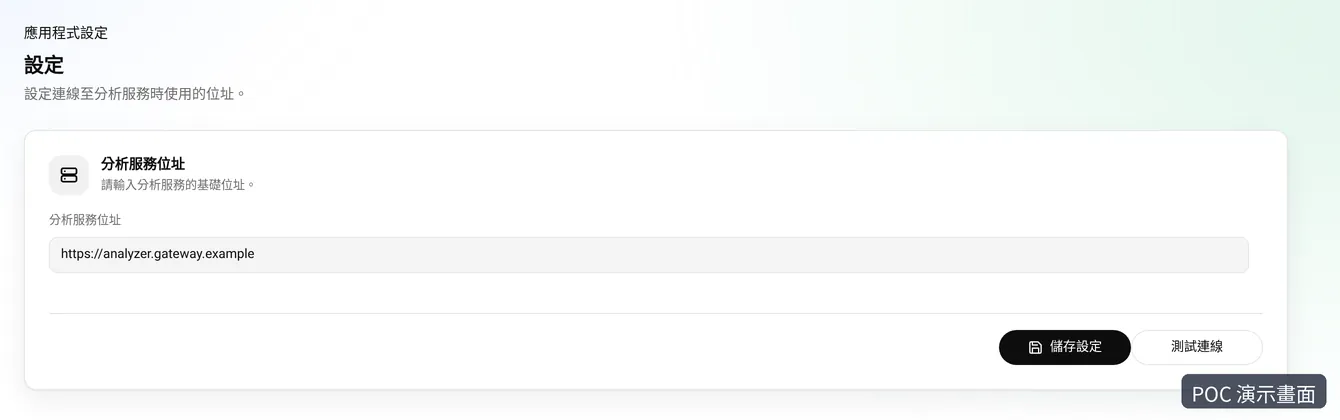
Settings: enter the analysis service address and test the connection
2

Setting rules: global and grouped

Set rules globally or per group — contract numbers, signing dates, company names.
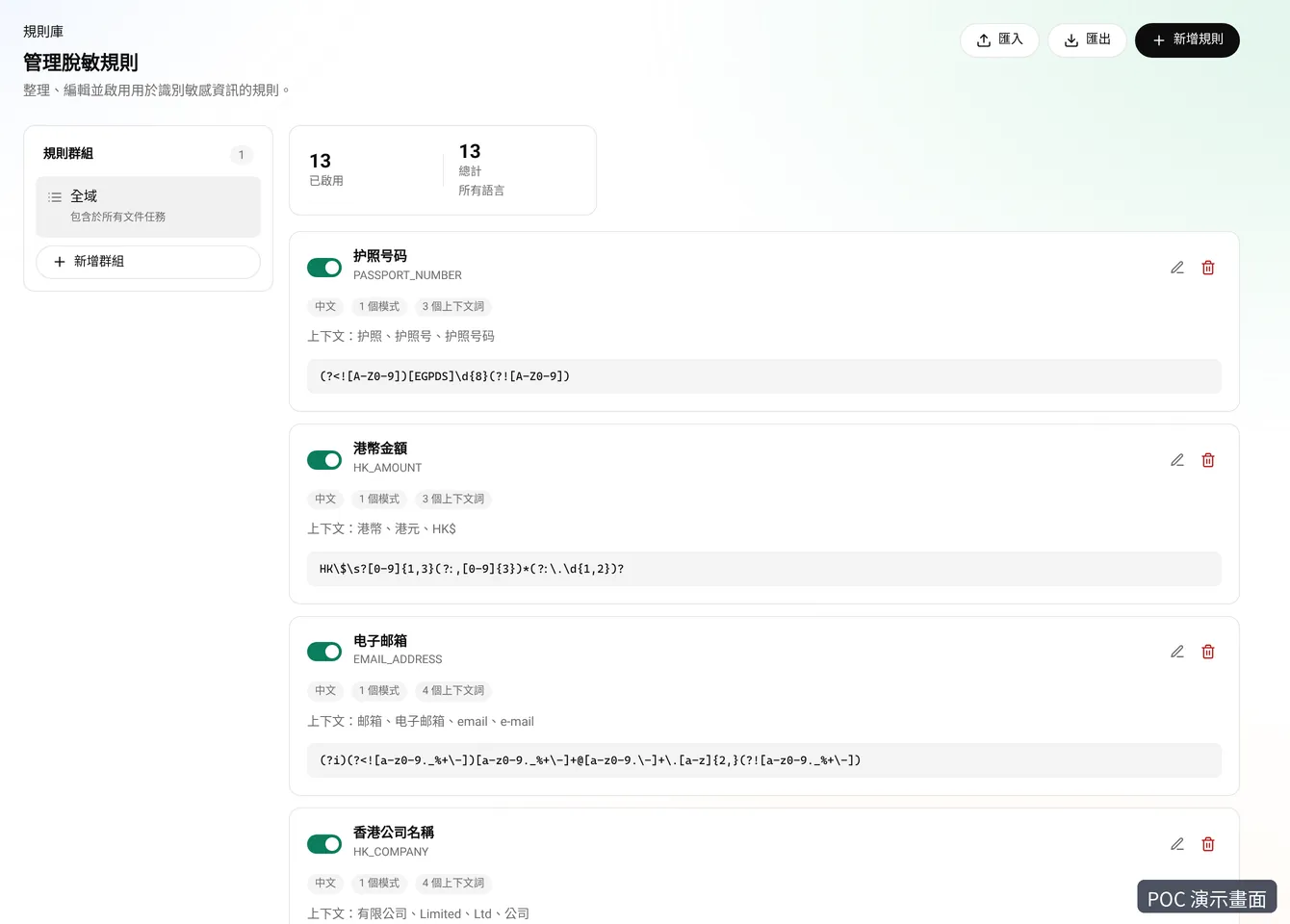
Rules page: global rules including passport numbers, HK dollar amounts, email and Hong Kong company names
3

Uploading a file and choosing a rule set

Upload: common office documents, with the rule set that fits (e.g. "shareholder documents").
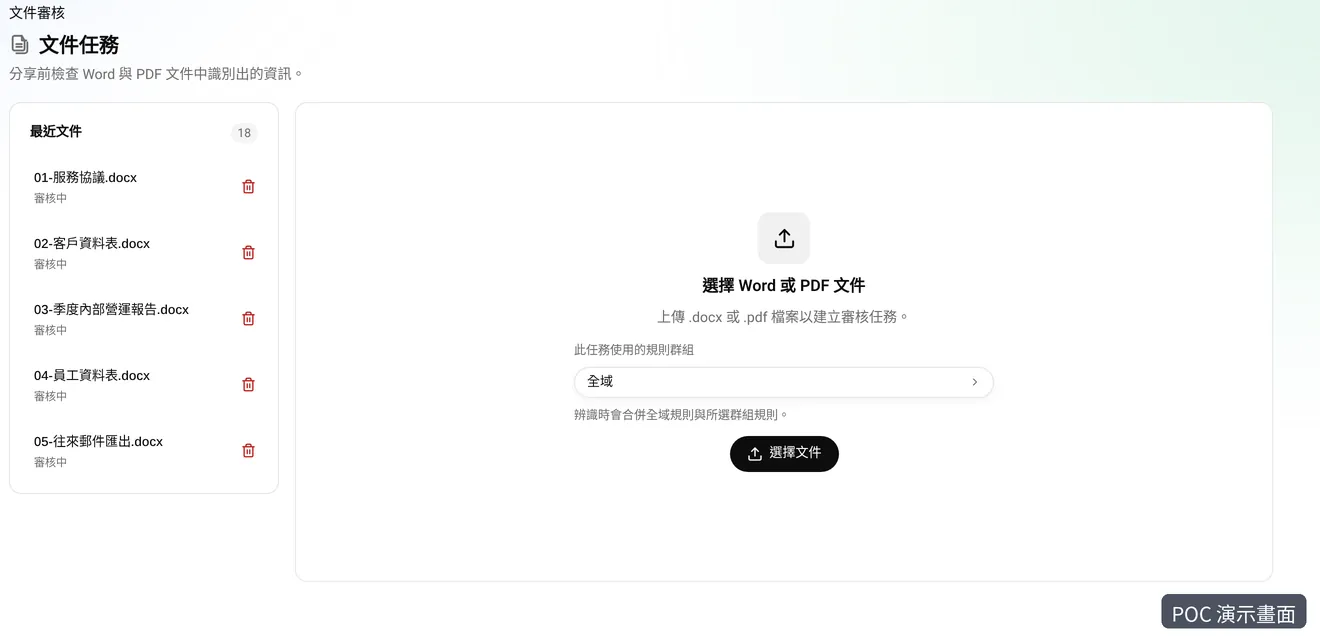
Upload: choose a Word or PDF file and a rule group
4

Reviewing flags: remove, add, custom replacements

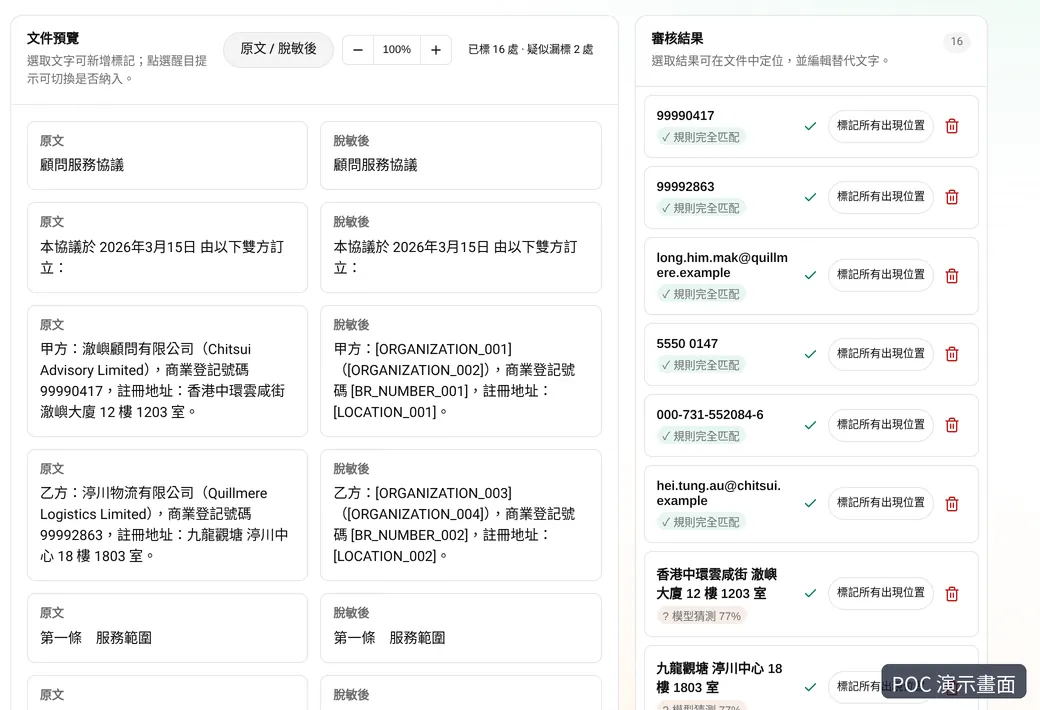
Review: remove false hits, add missed ones, set replacement text, then publish.
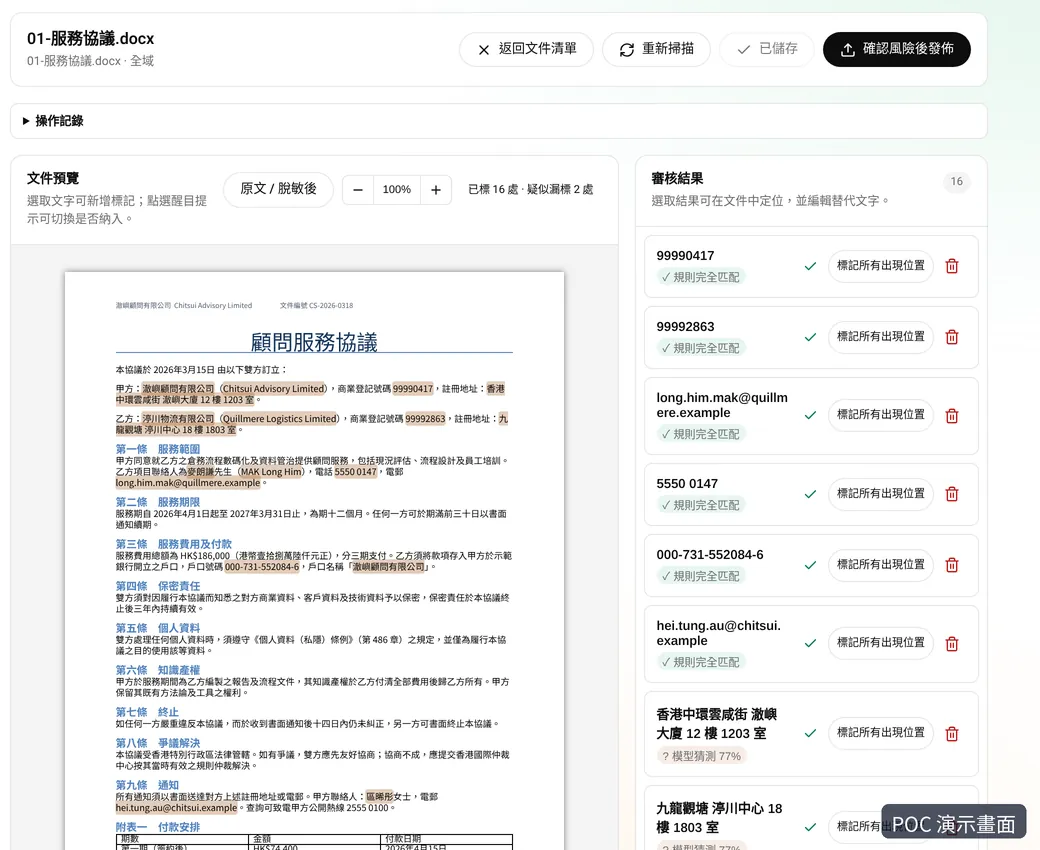
Review: document preview and the list of flagged items
5

Publish, withdraw and export to Word

Publishing locks the version; you can withdraw it at any time.
Before publishing: original and masked versions side by side
6

Connecting your AI assistant (one-click MCP setup)

The workbench connects to MCP-capable AI assistants, set up in one click.

One-click MCP setup
Connect connected
Setup one-click setup
One-click setup
7

Using published files in chat

Ask in chat and the assistant fetches the published, redacted file to summarise, compare or draft.

Using published files in chat

Published file: shareholder-special-resolution.docx

the assistant reads the published, redacted version

summarise, compare or draft

8

Good practice: trial with fictional files, review rules regularly

For a trial, we'll tell you in writing where it runs; we recommend testing with fictional files only.

Good practice
Trial with fictional files only fictional files only
Review rules regularly global and grouped rules
Go through the workbench first workbench first
9

FAQ and limitations

Automatic flags can miss or over-flag, which is why every file needs human sign-off before it's published.

Does the original leave my environment?
In a production deployment, the workbench and detection service run on your servers or chosen cloud, and originals are processed there. AI assistants read only redacted versions. We'll state where any trial environment runs up front.
How accurate is detection?
Automatic flags can miss or over-flag, which is why every file needs human sign-off before it's published.
What if staff skip the workbench?
It doesn't intercept all AI use; staff need to put files through the workbench. Pair it with your internal AI policy.
Can AI-edited files be restored with the original details?
This is still being validated; we can test it together in a trial.
Which AI assistants work with it?
Any AI assistant that supports MCP.
Can a team share it?
Team sharing and permissions are on the roadmap; ask us for the latest.
How do we start a trial?
Book a demo. We'll walk through the full flow on fictional shareholder documents, then agree a trial scope.

See it on a fictional version of your own document

A 30-minute walkthrough, from upload to review to AI.